Lesson 3 · 151 actions · 4 blocks
Lesson 3. Bracket
Follow a complete bracket construction, from the base sketch to the reinforcing rib, on frames recorded in SOLIDWORKS.
The player uses the Russian SOLIDWORKS interface and Russian instructions.
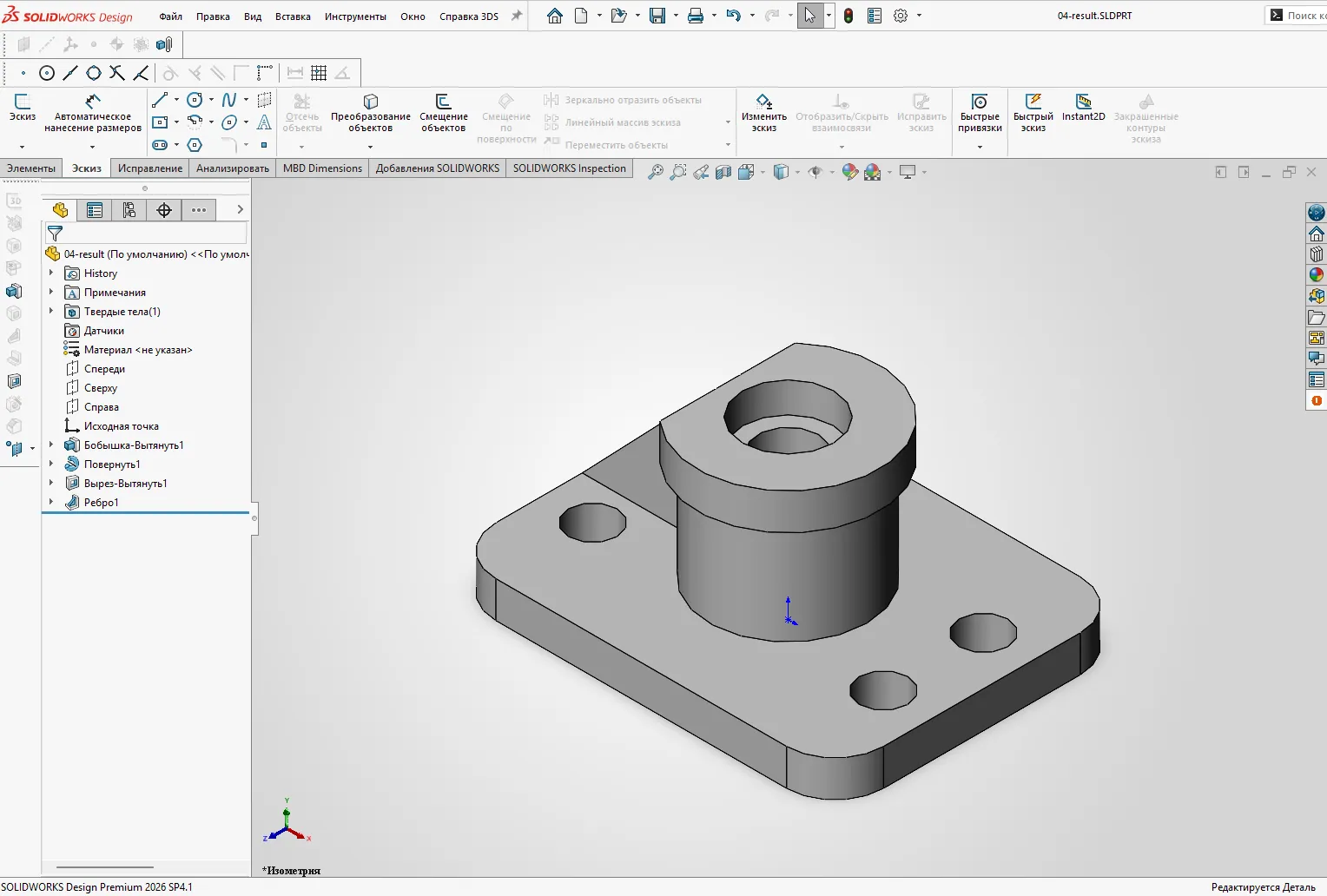 Finished part · click to start
What you will build
1 Base, symmetry and holes · 75 actions
A centred sketch, symmetric holes, sketch fillets and an extruded base.
2 Post profile and revolve · 42 actions
A stepped sketch with dimensions and a full revolution around the axis.
3 Side cut with an arc and chord · 23 actions
An arc and chord on the flange, followed by an extruded cut.
4 Rib and result · 11 actions
A line on the Front plane and a symmetric rib joining the post and base.
How to take the lesson
| Watch | Watch the cursor perform the actions. |
| Guided | Click the highlighted area and enter dimensions. |
| Test | Try without highlighting; a hint appears after two misses. |
Zoom helps on a phone. Rotate the 3D view to inspect the goal of each block. Progress is saved in this browser.
The lesson inside SOLIDWORKS
The browser exercise uses selected frames from the recording. The add-in provides a more detailed route and checks the real model as you build it; the two versions have different numbers of steps.
The updated add-in lesson has passed API and regression checks; a full manual replay of the revised route is still pending.
Ready?
Start in your browser; no installation is required.