Lesson 1 · 71 steps · 6 blocks
Bolt M8×40 in SOLIDWORKS
Build a hex bolt to ISO 4014 — from the shank sketch to the end chamfer — right in your browser, clicking on frames of real SOLIDWORKS.
The lesson uses the Russian SOLIDWORKS interface: button and menu names are shown in Russian, exactly as on screen.
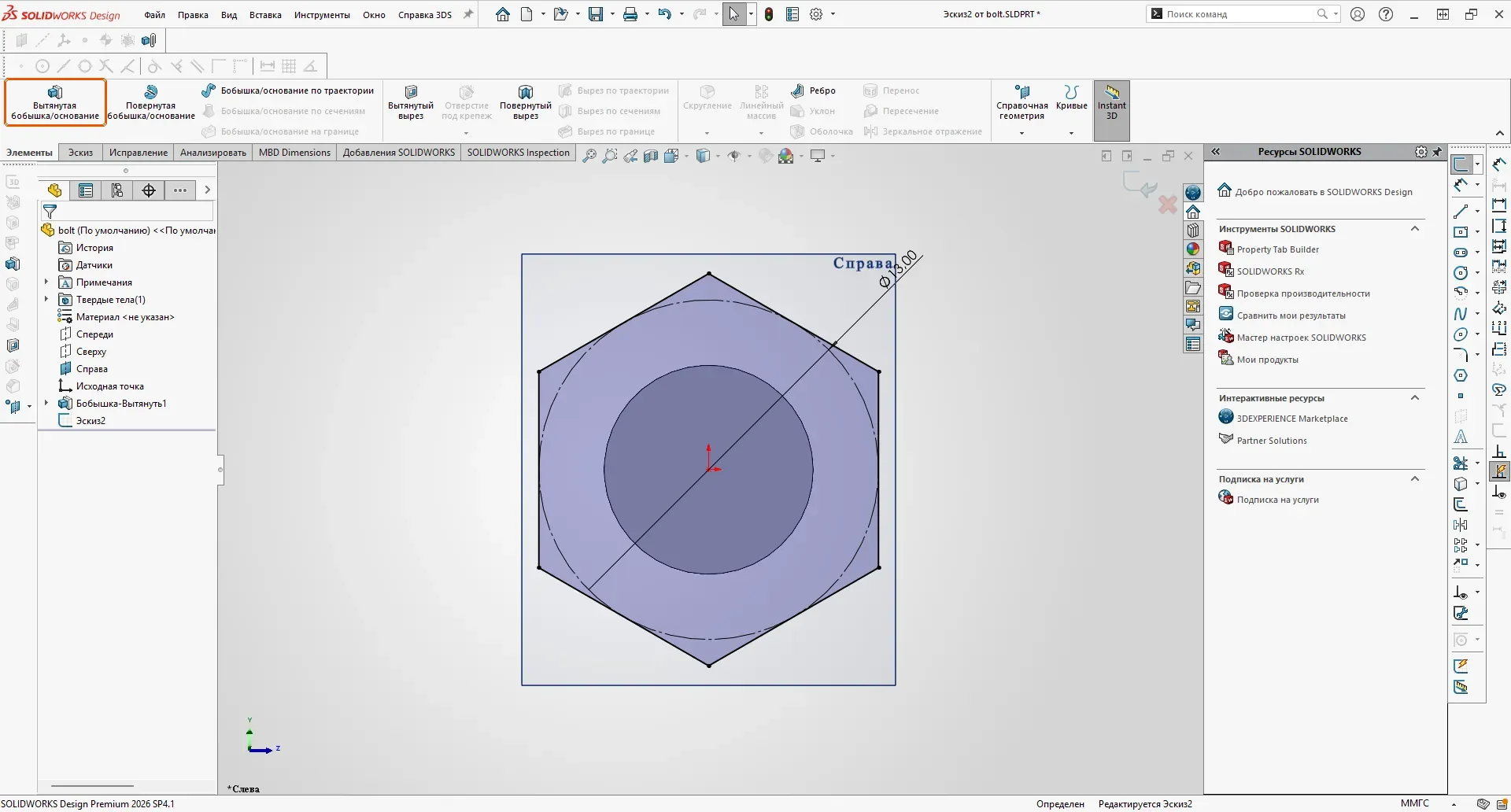 Frame from the lesson · click to start
What you will build
1 Shank Ø8 × 40 · 13 steps
Sketch on the Right plane, circle from the origin, Smart Dimension, Extruded Boss/Base.
2 Cosmetic thread M8 · 15 steps
Insert → Annotations → Cosmetic Thread: ISO standard, size, blind length; document option for shaded threads.
3 Head: hexagon S13 × 5.3 · 17 steps
Sketch on a face, Polygon with an inscribed circle, across-flats dimension, a Vertical relation for a fully defined sketch.
4 Head chamfer: cut with 60° draft · 16 steps
Extruded Cut “Through All” with Flip side to cut and a draft angle — the classic chamfer of a bolt head.
5 Fillet R0.5 · 4 steps
Fillet on the edge under the head.
6 Chamfer 1.6 × 45° at the shank end · 6 steps
Chamfer from the Fillet drop-down, angle-distance type.
How to take the lesson
| Watch | The cursor performs every action; you follow the sequence. |
| Guided | Click on the frame where you would click in SOLIDWORKS. The right area is outlined; values are typed into the field that appears. |
| Test | No highlighting. After two misses the hint appears. Time, misses and hints are counted. |
On a phone, use “Zoom” to enlarge the frame around the target. The 3D view shows the goal of each block and can be rotated.
The same lesson inside SOLIDWORKS
The browser lesson and the instructor add-in read one lesson file. In SOLIDWORKS you build the real part: the instructor highlights the button, then checks the plane, the sketch, its dimensions and the feature parameters before moving on.
Frames captured in 2026 SP4.1 (Russian interface) on . Every value in the steps is read from the finished part.
Ready?
About 70 short actions. Progress is kept in this browser, so you can stop and come back.